Brett & Kate McKay via The Art of Manliness
shared by 4 people
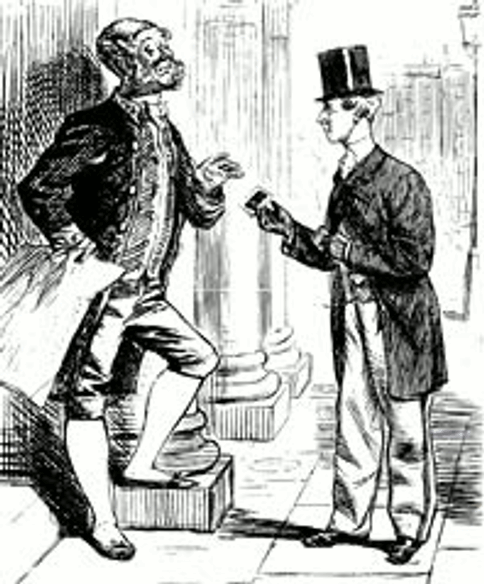
To the unrefined or unbred, the visiting card is but a trifling and insignificant bit of paper; but to the cultured disciple of social law, it conveys a subtle and unmistakable intelligence. It’s texture, style of engraving, and even the hour of leaving it combine to place the stranger, whose name it bears, in a pleasant or a disagreeable attitude even before his manners, conversation, and face have been able to explain his social position. -Our Deportment
In the 19th and early 20th century, social interaction was a richly cultivated, well-mannered affair. The tool that facilitated these interactions was the calling card. Calling cards streamlined introductions and helped remind people of new acquaintances and needed visits. The calling card also served as a way to brand your social identity. The way your card looked and felt or the way you handed it to someone communicated your standing and relationship with the receiver. While the calling card had gone the way of top hats and knickers, they’re starting to make a comeback. What follows is a brief history of the calling card and how men today can resurrect this tradition to create some stylish panache in their social interactions.
The History of Calling Cards
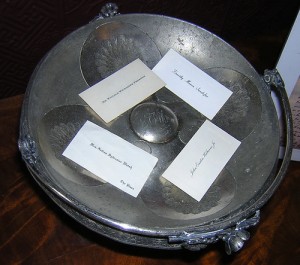 During the 1800’s and early 1900’s the practice of “calling†upon or visiting one’s relatives, friends, and acquaintances was a middle and upper class social ritual governed by countless rules and traditions. Central to visiting etiquette was the use of the calling card. Every gentleman kept a ready supply of calling cards with him to distribute upon his visits. When calling upon a friend, a gentleman gave his card to the servant answering the door. The servant would be holding a silver tray and the card would be placed upon it. If the person the gentleman was calling upon was home, the servant would take the card to them and they would come meet the gentleman. If the person being called upon was not home, the servant would leave the card for when they returned.
Generally upon a gentleman’s initial visit to a home, he would simply leave a card and then depart. If the new acquaintance wished to formally visit with him, he or she would send a card in return. If no card was sent, or the return card was sent in an envelope, this signaled that the new acquaintance did not wish for a personal visit to occur. This signal (the card in an envelope) could indeed be sent after any visit in which the visited party no longer wished to be called upon by this particular person. It was basically the well-mannered brush off. A calling card was also used when a gentleman was desirous to see someone at a hotel or parlor. He would send up his card while he waited in the reception area or office for his acquaintance or business associate to come and greet him.
A man’s calling card was simple and plain in design. About the size of a playing card (they were toted about in a carrying case tucked in one’s breast pocket), they bore a man’s name, and later on, his address as well. The name was written in the center, sometimes with a middle initial and sometimes not. A young man did not preface his name with “Mr.†A military officer included his rank and branch of service. A physician could include his professional title, as in “Dr. Robert Smith,†or “Robert Smith M.D.†But honorary titles such as Prof., Hon., and Esq. were not acceptable. The card sometimes also included the name of the gentleman’s club or fraternal organization a man belonged to.
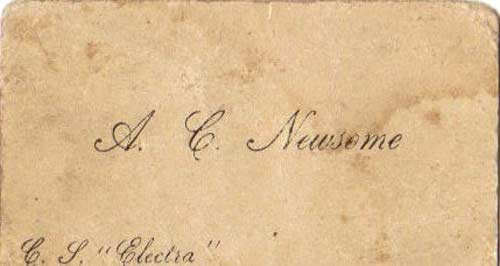
A man might have a set of calling cards that included his address and a set that left that space blank. This latter type of card would be larger and engraved with fancier writing. The blank space would be used for written notes inviting a friend to dinner or the theater or some other social event.
An engraved card was considered to have the most distinguished style, followed by a handsomely handwritten one, and if these could not be obtained, a nicely printed card would do. The precise rules governing card giving and the style of the card, from the type of font to whether to include your middle initial or not, changed each year and could leave a person a bit anxious about what was currently in fashion.
19th Century Calling Card Etiquette
The giving and receiving of calling cards developed a very elaborate set of rituals and rules that every gentleman tried to master. While one’s modern sensibilities might find these rigid formalities laughable, I’ve got to say there’s a certain appeal to it. Far more dignified than poking someone on Facebook, wouldn’t you say?. Just in case you step through a time warp and land in the 19th century, here’s your calling card etiquette survival guide.
- On a first visit to a household, a gentleman gave one card to each lady of the house.
- A married man had a medium sized card, while an unmarried man had a smaller card. Men’s cards were always smaller than women’s.
- When calling upon the lady of the house, if she was not home, but her daughter was, the gentleman sent in his card and departed, as it was not usual for a young lady to receive calls from a gentleman unless they were very intimate friends.
Special significance was given to the turning down of the card’s corners:
- A visit in person (as opposed to being sent by a servant): the right hand upper corner
- A congratulatory visit: the left hand upper corner
- A condolence visit: the left hand lower corner
- Taking leave (if you were going on a long trip): right hand lower corner
- If there were two of more ladies in the household, the gentleman turned down a corner of the card to indicate that the call was designed for the whole family.
Initialing a calling card
Gentleman would also inscribe initials upon the card to denote the reason for his visit. The initials stood for the following French words:
- p. f. - congratulations (pour féliciter)
- p. r. - expressing one’s thanks (pour remercier)
- p. c. - mourning expression (pour condoléance)
- p. f. N. A. - Happy New Year (pour feliciter Nouvel An)
- p. p. c. - meaning to take leave (pour prendre congé)
- p. p. - if you want to be introduced to anybody, send your visiting card (pour présenter)
Card etiquette regarding certain occasions
For congratulations
Congratulatory cards were best given in person, but it was acceptable to send a card in lieu of an actual visit. One month after the birth of a child, acquaintances were to call to offer their congratulations.
For weddings
If you couldn’t attend the reception you would send a card and then wait until the couple announced the place of their new residence to send another or make a visit. But in the meantime you were expected to call upon the parents or relatives who had given the reception.
When a man’s wedding only included his family and closest friends, he would send his bachelor’s card, enclosed in an envelope to those of his acquaintances with whom he wished to remain friends. Those who received this card were expected to call on the couple within 10 days of them taking possession of their new home.
After a wedding, the friends of the bride and groom were expected to send their calling cards to the new couple. In this way, the couple would have all of their friends’ contact information on file and would be able to stay in touch with them.
Cards of Condolence
When someone passed away, acquaintances would send a card of condolence, which as mentioned, was indicated by folding down the left hand lower corner of your usual card. This card was delivered in person and the visitor would inquire after the health of the family before departing. When the bereaved once more felt up to receiving visitors, they would send cards to the friends and loved one who had left theirs, indicating their readiness to again visit with company.
Resurrecting the Calling Card in the Modern Age
When the household servants moved out, and Alex Bell’s new fangled talking machine moved in, the practice and etiquette surrounding the sending and receiving of calling cards suffered a slow death. The only place where calling cards survived was in the U.S. Armed Forces. Officers still carry on the tradition today. But quite happily for the modern day gentleman, they are now making a comeback in civilian life as well.
While technology has opened up a legion of ways to communicate these days, something within us still craves the transfer of something tangible, something more civilized and refined.
Enter the calling card.
Why not just use a business card?
During the heyday of calling cards, using a business card for a social purpose was considered bad manners. Today, while business cards are great for making business contacts, they still aren’t really suited for social situations. They probably have your work number and work email, and not much else on them. Think of all the times you meet someone you’d like to see again. Handing them a business card is too stiff and formal. Ditto for simply having them put your digits into their phone.
Oftentimes when meeting someone, the connection you establish is too new for your acquaintance to feel comfortable calling. Perhaps before pursuing more contact, they’d like first to check out your Facebook page or blog or send you an email. And how many times in a conversation does someone tell you about their website or their blog, and you swear to check it out, but then can’t remember its name when you get home? A calling card is the answer to all of these situations. A calling card can tell a new acquaintance more about you and help them better remember you. It provides a chance to enhance the first impression you make and gives your new acquaintances the ability to pursue a relationship with you in the way they feel most comfortable.
Designing a calling card
As aforementioned, during the heyday of calling card use, the design of men’s calling cards were fairly spartan, just name and address. Today it is more acceptable to create a calling card design that gives you a chance for a bit of self-expression.
How to design a card
Your calling card should reflect your personality. When someone puts your phone number into their cell, they may look at this entry some time later and fail to remember much about you. A calling card should include something to jog their memory (although in truth, currently simply giving someone a calling card should render you fairly unforgettable). Pick a color scheme, font, and design that convey something about you. But do remember, you’re still a gentleman, not a lady, so don’t make it too flowery or cartoony. You may still opt for simply having a traditional, plain card with only your name on the front. This of course, would likewise say much about your personality.
What to include on the card
To call upon a friend in the Victorian age, there was only one option-drop by their house. In our modern society, technology has provided a myriad of ways for a new acquaintance to contact you, and your card should reflect this. In addition to your name and phone number, consider including some (but certainly not all-you don’t want it to be cluttered) of the following pieces of information:
- Blog or website address
- Twitter username
- Facebook or Myspace name (if it’s different than the one on the card)
- Email address
- Instant message name
If you decide to go for a very traditional man’s design with only perhaps your name on the front, you can then tailor the information you wish to give to each individual you meet by simply writing on the back and making the desired additions.
Calling Card Design Ideas
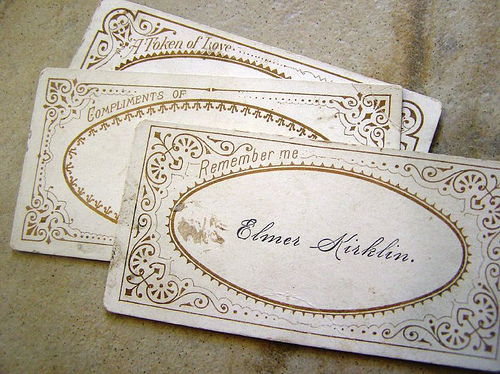
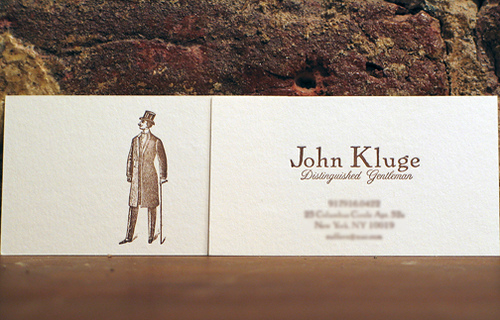
Vintage inspired calling cards
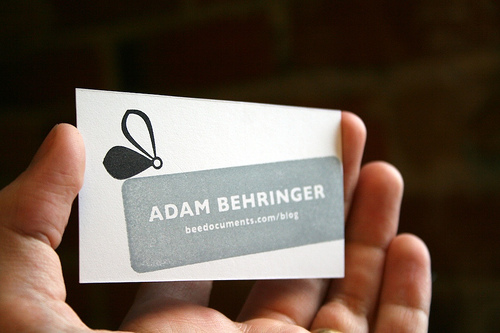
Modern version of the calling card

Steampunk inspired calling card

A freaky, but effective calling card.

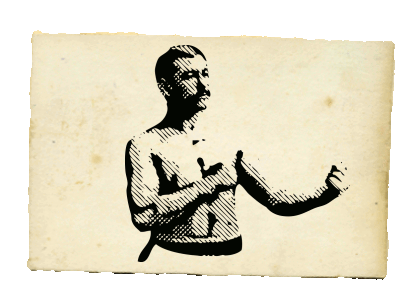
Art of Manliness calling cards

How to Use the Card
A calling card can come in handy in any social situation in which you want to exchange information with someone. Remember, you may use the blank back of the cards to write notes and invite someone to meet up with you again. For example, you might write, “Join me for coffee this Saturday, 3:00pm. Starbucks on 51rst and Harvard.†Or use the back to invite someone over for dinner and write down your address for them. Here are some more situations where a calling card would particularly come in handy:
- Class reunions. You’re going to run into a ton of people with which you want to exchange information. Instead of constantly busting out the pen and paper, just hand them your card.
- Networking between jobs. You’re not currently employed, so you don’t have a business card. Or if you do, it has your old employer’s info on it. While you’re looking for work, have a calling card ready to present to potential contacts and leads.
- Parties. If you’re planning an informal party or get together, write down your address and the time of the party on the back. When you run into people you’d like to see there, give them one of your cards and invite them over. Sometimes calling cards also come with small envelopes, sized to fit your card. You can therefore always use your calling cards as traditional invitations sent through the mail. Also, if your calling card comes with an envelope, you can use them as gift cards.
- The classroom. It’s often hard to make the leap from being “in-class†friends to “outside of class†friends. Give someone you enjoy chatting with in class your calling card. They’ll probably start posting on your Facebook page and your friendship will take off from there. Or use the card to set up a study group.
- Dating. When trying to meet a lady, it’s nerve racking to ask for her number, and if you foist yours upon her, she may not call you. Giving a potential lady friend your calling card is a great third option. First of all, it’s non-threatening. She may be too shy to call you outright. She may rather start off with a casual email. And she may not be sure about what she thinks of you. Giving her your calling card lets her peruse your blog or Facebook page first. Second, giving her your calling card gives you a chance to give a two minute blurb about the history of the tradition. You’ll immediately be set apart in her mind from the usual cads she meets and she’ll think you a true gentleman. Finally, when she takes home your calling card, it’s something tangible that will remind her of you and make it more likely that she’ll reach out and contact you.
Where to Find a Calling Card
Here are a few sites that offer calling cards that will appeal to the modern gentleman. Most will send you a sample before you buy, so you won’t be stuck with something you don’t like.
Crane & Co. (Nice, quality cards, priced between the low and high end)
The Stationery Studio. (Big selection, many are designed for women but there are many for men too, decently priced)
American Stationery (Only one design to choose from, but inexpensive)
Dempsey and Carroll (For the traditional gentleman with exquisite taste. Dempsey and Carroll have been in the biz since 1878. Very high quality. Very expensive. Only one design-just your name on the front.)
Piccolo Press (For our friends across the pond. Piccolo press still prints and engraves their cards the old fashioned way.)
For the frugal gentleman, or the man who doesn’t mind sacrificing quality for variety, you may wish to consider simply buying a box of business cards from Office Depot, downloading a business card template, and then printing them at home. They’ll be flimsy of course, but you can forever tinker with the font and design, and print new ones off that will especially suit a particular occasion.
If you liked this article, please share it on del.icio.us, StumbleUpon or Digg. I’d appreciate it.
Download Your
Free Guide to Being a Gentleman in 2008.
Check Out These Related Posts:
 Video conferencing tools often integrate some complementary features beyond video, audio/VoIP and text chat, such as a file transfer facility or an audio/ video recording feature.
In all cases their setup is extremely simple and can be completed in a matter of clicks. The quality of the video when using these tools can vary a great deal, but it generally is most influenced by two factors:
1) the quality of your webcam
2) the speed /bandwidth of your Internet connection.
To easily select which video conferencing tools would best match your specific needs, I have prepared a simple table, comparing their different key features:
Video conferencing tools often integrate some complementary features beyond video, audio/VoIP and text chat, such as a file transfer facility or an audio/ video recording feature.
In all cases their setup is extremely simple and can be completed in a matter of clicks. The quality of the video when using these tools can vary a great deal, but it generally is most influenced by two factors:
1) the quality of your webcam
2) the speed /bandwidth of your Internet connection.
To easily select which video conferencing tools would best match your specific needs, I have prepared a simple table, comparing their different key features:
 go to the table!
 ooVoo is a webconferencing software available for Windows and Mac. After a quick registration, you are able to communicate with people through text-chat, video-audio conference (up to six people) and also to record video messages. You can also share up to 20 files at once to as many contacts as you want, up to 25 MB per file. Still in beta, it is free to download and use.
 Adobe Connect Now is part of the new Acrobat.com of online collaboration tools. This one lets you create online meetings where you can have video and VoIP conversations, whiteboard, share files, chat, and share your screen. You can change a person's role at anytime, and move the activity pods as you wish during the meeting. The service is free to use, as the rest of the suite, after a simple registration.
 VSee is a free videoconferencing and application sharing service, and it allows you to talk with multiple people on your computer. You can remotely edit and annotate documents, share applications and desktops, transfer files, record and share videos, pan, tilt, and zoom remote cameras. Vsee is free to use for an unlimited number of people.
 SightSpeed is a cross-platform videoconferencing system that is light, performing and cheap. You can use it to have video calls with up to 4 people, text-chat with them, share files, record your sessions and send video messages. Free for two people, or $9.95/month for 4 people and unlimited video storage.
 PalBee.com is a video conferencing system, that has just launched a new version of the product. It lets you set up video meetings with up to 10 people, who can all whiteboard, upload PowerPoint presentations, record for one hour anything that happens in the conference and publish it as a video on YouTube. The service is completely free to use.
 MeBeam is an easy-to-use Flash-based video conferencing tool that you can use to have video calls with people without having to install anything on your machine. To start a video conference, you just have to type a name for your room, share it with your friends, and click connect. It is completely web-based and free to use with no registration needed.
 Vidivic is a video conferencing solution which allows you to hold online meetings using a webcam and a pc connected to the Internet. After a free registration, your are able to create meetings up to 4 hours with 9 participants at once, where you can see, talk and chat with each other. Currently in beta phase, it is completely free to sign up and use.
 FlashMeeting is an application based on the Adobe Flash 'plug in' and Flash Media Server. Running in a standard web browser window, it allows a group of people to meet from anywhere in the world with an internet connection. Meetings are pre-booked by a registered user who just needs to share a URL. Users are provided with video and audio conferencing, along with the ability to perform web tours.
 MegaMeeting, a browser-based video conferencing software. MegaMeeting requires no downloading: all you need is an internet browser, a broadband internet connection and a web camera or digital video camera. Up to 16 individuals can be seen at the same time, and an unlimited number of additional secure Video Conferencing attendees can see those 16.
 Wengomeeting is a flash web-based service that allows you to have meetings without any software to download. You just need to register, add your colleagues email address and automatically your webconferencing room is created. A conference can have up to 5 users. Free.
 EkkoTV is a free Flash-based service that you can use to have video conferences online with other two people. Without even register, you can just enter your name and a new room will be created: then you just spread the URL and wait for your friends to join you. EkkoTV is completely web-based and free to use.
 Vawkr is a video conferencing chat service that allows you to get your own video chat room and talk with anyone. After you register to the service and create your own room, you can invite other people to join in simply by sending them your room's URL. The only available controls are the volume and microphone adjustment. The service is completely web-based and free to use.
 Tokbox is a web-based video conferencing application that anyone can use to have one-to-one video meetings online. After a simple registration, you are able to create your video room where you can invite a friend and have a video conference with him. You can either embed your conference room on your site, or simply login in your Toxbox page and provide your friend's email to start the conference. Free.
 SnapYap is a free online voice conferencing tool, that anyone can use to have free one-to-one video-audio calls. Filling up a simple registration form, enables you to create your personal video conference room, in which you can invite anyone to join you: if the have a SnapYap account, you just need to insert their username, else just provide their email address and they will be sent an email with instructions to enter the room. Free to use.


