RSS
 

And Now, A 110-Minute Video Review Of Star Wars: Episode III

31 Dec


After the last two epic Star Wars prequel reviews, you know what you’re getting into: an at-length breakdown of everything that went wrong with Episode III. Watch it before you go out tonight so you can be the one who’s seen it. Because that’s cool, or something? Why would I recommend that?

[again via Metafilter]


Proof That We’re Living In The Future: The iPhone Heart Monitor

30 Dec

We’re living in the future, folks. Really, look around you: we have the biggest collection of knowledge in history available for free, at our fingertips — and we can access it in a car, at 70 miles per hour, without any wires. Planes can transport us across the country, or across the world, in hours (or, as Louis CK so wonderfully puts it, “You’re sitting in a chair.. in the sky.) Technology that changed the world and cost many thousands of dollars just 20 years ago now comes at a fraction of the price, and at a fraction of the size. Everything is amazing.

The thing in the video after the jump (which’ll be announced at CES next week) is just one more example.

Read the rest at MobileCrunch >>


World’s Happiest Penguin

30 Dec


(YouTube link)

While some complain about the snow, this little guy dances for joy! Or maybe he just really likes the song “Auld Lang Syne.” It’s a Happy Feet New Year! -Thanks, özi!


How to create Gmail labels that help empty your e-mail inbox

30 Dec

Before you get get rolling with your new filters, you’ll need to set up some labels. I described my collection of alternate mail processing boxes (aka quasi-inboxes) in my first blog post about inbox zero, and offer more suggestions about label setup in my blog post on how to empty your inbox with Gmail filters, where I tackle the key question: what comes first, the filters or the labels?

The answer is: labels. Begin with a basic set of labels, and expect to add more as you process your “systems needed” folders and identify more filters (and more labels) needed. I recommend creating a folder (label) to hold all these alternate inboxes, which I call “Box” (because it’s full of quasi-inboxes). Inside Box are a few top-level folders, each of which has further subfolders.

You can create your labels directly in Gmail, but I find it easier to create folders and subfolders inside my local mail client (i.e. Mail.app, where I use the Mailbox/New Mailbox…. command). It’s easy and intuitive to create a new folder and then place additional folders inside it, whereas it can be a bit challenging to set up your nested labels in Gmail by creating a new label with a name like Box/Lists/HARO — especially if you make a mistake and type Box/List/HARO instead, thereby creating a whole OTHER folder structure named Box/List instead of Box/Lists. Google something like “how to” folders subfolders [insert name of your e-mail client] if you need help creating folders and subfolders in your e-mail system. Note that you can run into trouble if you try to create a subfolder that exceeds Gmail’s 40-character limit; if you get a message that a folder can’t be created, it’s probably because you’ve exceed the 40-character limit.

Set of folders inside Mail.app

Mail.app folders....

            <<        IMAP sync         >>            
List of Gmail labels corresponding to the Mail.app folders

...translate to Gmail labels

You should already have created a set of labels for your archive, reference and clients/projects, which is what you use to file messages you’ve already read and acted upon. The “Box” labels are specifically for housing e-mails that haven’t been processed yet, either because you’ve set up a rule that sends those messages to an alternate quasi-inbox for you to read when you have time, or because you’ve read (and possibly replied to) a message and need to bring it forward for later action. Your “Box” will end up containing a variety of sublabels (quasi-inboxes) that reflect your personal workflow, but to begin, try setting up the following starter labels and sublabels (or folders and subfolders) in Gmail or your local e-mail client:

  1. FollowUp: These are your “bring forward” files, which you’ll want to check periodically. Use these folders to stow any message you’ve responded to, where you need to get a reply to your reply and want to remember to check back if you haven’t heard. You may have additional subfolders for:
    • ActionNeeded: Remember to do something else
    • ClientName: If you have a couple of major clients and want to see all your open loops each time you check in with them.
    • Waiting: You’re just waiting to hear back about these and don’t want to forget them.
  2. Lists: These folders catch e-newsletters and other bulk e-mails, and set them aside so that you can read them if and when you have time. You can setup subfolders for types of messages, or for specific lists, like:
    • Family: For newsletters from my kids’ school, daycare and afterschool programs.
    • HARO: For the Help A Reporter Out e-blast
    • WOC: For the Web of Change e-mail list
  3. Notifications: These collect all the automatic notifications generated by different web applications, like Facebook (which may notify you every time you get a friend request or a message, depending on your settings) or Twitter (which may notify you of every DM or new follower, again depending on your settings). You may choose to turn off notification in the application itself, but you may want to keep them in Gmail if you like the idea of scanning these notifications periodically in your e-mail, or keeping them so that they pop up if you search Gmail (so that searching Gmail for your friend Priscilla’s e-mail also turns up the DM she sent you on Twitter), or you simply can’t get the notifications to turn off. I use rules to stream some of my notifications into specific subfolders like:
    • Facebook: For anything from Facebook
    • Disqus: For notifications of blog comments sent via Disqus
    • Google Docs: For notifications that I’ve been invited into a new Google Doc (handy if I know someone has shared a doc with me, but I can’t figure out which of my Google addresses they’ve invited)
  4. OrganizationName: This is a folder for all the internal correspondence within your organization, which I recommend filtering so that you don’t miss the external e-mails that may be more time-sensitive or cost more to miss (if, for example, they are sales, media or donor inquiries). Making this work via filters depends on everyone in your organization having their e-mail addresses in the same domain (or a small number of them) so that you can filter on @OrganizationName.com.
    • ToMe: Messages to me from other people in my organization, that haven’t been marked urgent. This works if you are in a small company and/or the boss, so that you can tell other folks in your organization that they have to include the word “URGENT” in the subject of their e-mail if they want it to hit your inbox. If you run your own small company, this may well be the best way of ensuring your internal e-mail doesn’t crowd out sales or investor inquiries. Be sure to check your “OrganizationName/ToMe” mailbox every day.
    • CCed: For messages that have been sent by someone in your organization and cced (rather than addressed) to you.
  5. Scheduling: These collect all messages that have a calendar invitation attached. It’s a lot easier to review these once a day and handle your scheduling requests as a batch. If you have an assistant, you might ask them to keep an eye on these scheduling requests for you.
  6. ExternalCCs: Messages that are copied to you (for your information) are by definition not urgent. This folder collects messages that have bee sent from outside your organization and cced to you.
  7. Attachments: To save any message that came with an attachment (see filter #7)

Once you set up the labels above, you’ll be ready to get started on setting up your filters. You can add more labels anytime as described above, or by selecting “New label…” from the “Choose label” dropdown that Gmail offers as part of the “Create a filter” process.Gmail "create a filter" process offers option to create a new label

For the first few weeks after you set up your filters, you should quickly scan all of these folders every day, just to get a sense of what is landing there. This will help you fine tune your filters (perhaps adding a couple of rules to catch more messages, or adjusting the criteria so fewer messages get filtered out of your inbox) and to help you figure out how often you need to check each of these quasi-inboxes. My guess is that you’ll decide to ignore some of them completely (like notifications), check others on occasion (like your newsletters, if you have a few minutes to spare) and a couple every day (like your “followup/action needed”).


The Most Popular Presentations of 2010 [REPORT]

30 Dec


Popular presentation-sharing website Slideshare posted its annual Zeitgeist summary Thursday, bringing some interesting data to the fore.

For instance, presentations written in Japanese have the highest average number of slides (42), women use fewer slides than men in their presentations and the longest presentation uploaded in 2010 is 1,937 slides long.

This year’s report also laid out some data about the 1,000 most popular presentations on its site this year:

  • Popular Presentations Use a Lot of Slides: The total number of slides in the top 1,000 slide decks has about 63 slides per presentation. The average number of slides for all presentations is 19.
  • Popular Presentations Use Few Words: Popular presentations use about 24 words per slide.
  • There’s Something About Keynote: While only 2% of all presentations were made in Apple Keynote this year, almost 16% of those in the top 1,000 were made in Keynote.

If you’re interested in digging deeper into what makes a presentation so good that people want to share it, check out the most popular presentations of 2010. Eighty-two slide Social Media for Business came in first, followed by Steal This Presentation, which is appropriately a presentation about how to give presentations.

The entire Zeitgeist slideshow is available below:

More About: presentation, slideshare, stats, Zeitgeist

For more Business coverage:


Skype Video Calling for iOS over Wi-Fi and 3G Now Available

29 Dec

Skype unleashed version 3.0 of the Skype App for iOS this evening. The new version brings the long awaited video conferencing for iPhone and iPod Touch.

- Make Skype to Skype video calls on WiFi and 3G*
- Call Skype de...


I have found the cognitive surplus, and it hates pigs

29 Dec

2008: Clay Shirky, outlining the basic idea that would become his book Cognitive Surplus:

So how big is that surplus? So if you take Wikipedia as a kind of unit, all of Wikipedia, the whole project — every page, every edit, every talk page, every line of code, in every language that Wikipedia exists in — that represents something like the cumulation of 100 million hours of human thought. I worked this out with Martin Wattenberg at IBM; it’s a back-of-the-envelope calculation, but it’s the right order of magnitude, about 100 million hours of thought.

And television watching? Two hundred billion hours, in the U.S. alone, every year. Put another way, now that we have a unit, that’s 2,000 Wikipedia projects a year spent watching television. Or put still another way, in the U.S., we spend 100 million hours every weekend, just watching the ads. This is a pretty big surplus.

2010: Hillel Fuld, citing data from Peter Vesterbacka of Rovio, the Finnish company behind the hit game Angry Birds:

Another mind boggling statistic about Angry Birds, and you should sit down for this one, is that there are 200 million minutes played a day on a global scale. As Peter put it, that number compares favorably to anything, including prime time TV, which indicates that 2011 will be a big year in the shift of advertisers’ attention from TV to mobile.

Some math: 200 million minutes a day / 60 minutes per hour * 365 days per year = 1.2 billion hours a year spent playing Angry Birds.

Or, if Shirky’s estimate is in the right ballpark, about one Wikipedia’s worth of time every month.

Just a lighthearted reminder that, even if the lure of the connected digital world gets people to skimp on the Gilligan’s Island reruns, that doesn’t necessarily mean their replacement behaviors will be any more productive. They could instead bring an ever greater capacity for distraction and disengagement and slingshot precision.

Now, if you’ll excuse me, I have a couple more levels to get three stars on.

[Aside: Note that Angry Birds still has a long way to go to catch up to television: 200 billion hours a year vs. 1.2 billion hours. And the TV number is U.S. only, while the Angry Birds one is global.]


Skype outage post-mortem puts some blame on the elder Windows clients

29 Dec
If you wish to raise your fist in the air and curse anyone for the massive global Skype outage, direct your anger towards 5.0.0.152. That's the Skype for Windows version that crashed when a December 22nd cluster of support servers responsible for offline messaging became overloaded. While that's the only version affected -- the latest 5.0.0.156 and 4.0 versions were fine, as were the clients for every other platform you can think of -- the number of users running point-152 globally represent 50 percent of all the users. More importantly for the other half of the world, about 25 to 30 percent of all supernodes were affected, too, whose role is establish connections, among others.

So... up to 30 percent of supernodes are down worldwide. The other 70 percent were taking on the increased load. The crashed Windows clients were by and large being restarted simultaneously by affected users. All this happened just before the usual daily peak hours and during the holiday season. It's almost a comedy of errors, were it not impossible at the time to call someone and share in the laughter. For its part, Skype goes into detail over how it fixed the current situation and how it plans to be better equipped to handle any future duress. It's a pretty interesting read, we suggest you set some time aside and check it out.

Skype outage post-mortem puts some blame on the elder Windows clients originally appeared on Engadget on Wed, 29 Dec 2010 11:18:00 EDT. Please see our terms for use of feeds.

Permalink   |  sourceSkype  | Email this | Comments


Do Pterosaurs Still Exist on Papua New Guinea?

29 Dec

In Papua New Guinea, natives describe huge flying animals with long beaks, bat-like wings, and razor-sharp teeth and claws. Evidence of gigantic nesting sites have been found in the mountains. Remember, this is the area where previously-unknown species of animals are found almost constantly. Could these creatures be living pterosaurs?

The Ropen or ‘demon flyer’ is a monstrous animal that is said to have terrified the natives of Papua New Guinea for thousands of years. Another smaller animal, known as the Duah, is possibly related to the Ropen, a cryptid creature said to haunts some of the far-flung outlying islands.

The flying animals described are said to “glow” in the dark, as reported both by locals and researchers. It has been hypothesized that the bio-luminescent glow assists the animals’ effort to hunt and catch food in the deep darkness of the tropical night. One of the researchers, David Woetzel, has said that he recorded images of the animals while studying them.

Link

(Image credit: Wikipedia user DinoGuy2)


The Best and Worst Identities of 2010, Part II: The Best

29 Dec

Best and Worst Identities of 2010

To conclude our selections on a positive note — although I bet Part I was infinitely more satisfying — here is Part II: The Best.

See also Part I: The Worst.
Best and Worst Identities of 2010

---

Best and Worst Identities of 2010

Mount Royal University

Best and Worst Identities of 2010

Designed by: Cundari


Release date: February 2010


There are two key elements that put this logo in this round-up. The first is that it was able to escape the typical antics associated with university redesigns where alumni and students get all offended and someone asks how come the students in the art program didn't design the logo for free. Second, where they could have used Trajan, they used Hoefler & Frere-Jones' Requiem. Royal!

---

Best and Worst Identities of 2010

Black Star Co-Op Pub and Brewery

Best and Worst Identities of 2010

Designed by: Ptarmak


Release date: June 2010


It's easy to get away with cool stuff when it comes to über local co-op breweries. So if you are indeed getting away with it, make it count and make it so cool that all you want to do is put down that mouse, turn off the computer and head for a beer.
---

Best and Worst Identities of 2010

GLAAD

Best and Worst Identities of 2010

Designed by: Lippincott


Release date: March 2010


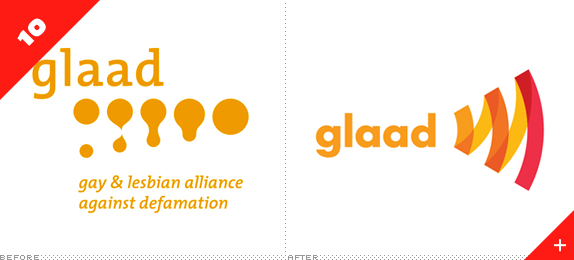
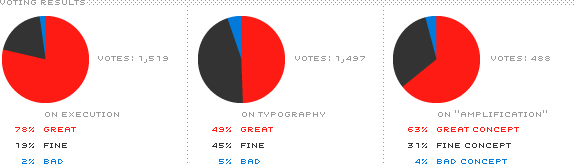
For the Gay & Lesbian Alliance Against Defamation "amplifying" is a key word and this lovely, simple icon translates it to an icon in a bold, vibrant, and memorable way. Pretty colors and pretty typography help make it a stand-out in the non-profit category of this year's crop.
---

Best and Worst Identities of 2010

Myspace

Best and Worst Identities of 2010

Designed by: In-house


Release date: October 2010


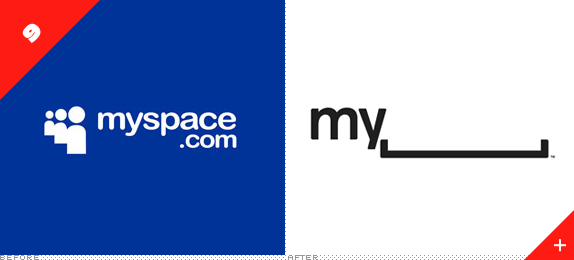
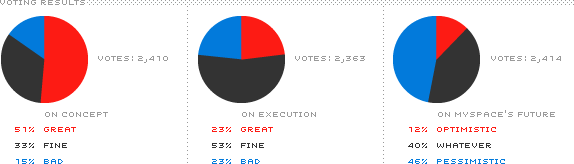
Left behind as the multitudes flocked to Facebook and Twitter, Myspace is trying to claw its way back to relevance as we launch into the second decade of the twenty-first century and they are doing it with a rather unconventional identity which deserves to be applauded. While there are still holes to fill (pun!) the concept shows promise… it mostly depends on whether people care about Myspace at all. If they don't that blank space might end up being too poignant for its own good.

---

Best and Worst Identities of 2010

San Diego Zoo

Best and Worst Identities of 2010

Designed by: Landor


Release date: October 2010


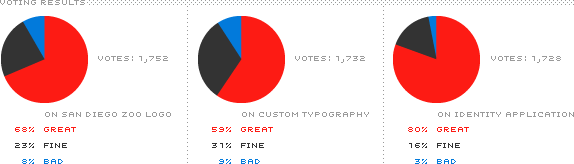
At the intersection of the International Typographic Style and The Flinstones — or not — lies the new identity for the San Diego Zoo, which encompasses the zoo itself (one of the largest in the world), the San Diego Zoo Safari Park, and San Diego Zoo's Institute for Conservation Research. With this redesign they all now share a unique, playful identity despite being three relatively disparate entities.

---

Best and Worst Identities of 2010

Girl Scouts of the USA

Best and Worst Identities of 2010

Designed by: Original Champions of Design


Release date: July 2010


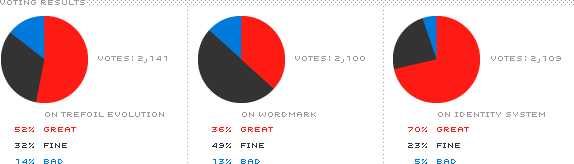
Like in the Worst category, a Saul Bass logo gets the "Before" treatment, except that instead of getting the axe, it went under the scalpel and shears for a few modernifications. The much debated bang was a nice addition if you ask me and the perkier noses gave it a more youthful look. But the "trefoil" icon was only part of a larger revitalization of the brand that resulted in a vibrant and playful array of identity elements.

---

Best and Worst Identities of 2010

CNN en Español

Best and Worst Identities of 2010

Designed by: In-house


Release date: November 2010


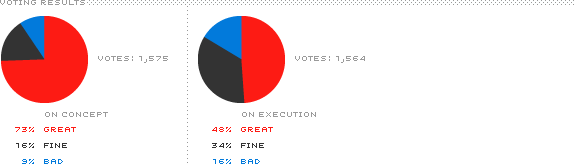
In terms of visual puns, this was the best of the year — although it was probably the only of the year. Despite some commenters asking if this was supposed to be read as CÑÑ, or questioning the grammatical correctness of it as an acronym, or some other party-pooping minutia, this is a great concept with a swift execution that doesn't pander to the lowest common deñomiñator.

---

Best and Worst Identities of 2010

Royal Opera House

Best and Worst Identities of 2010

Designed by: SomeOne


Release date: August 2010


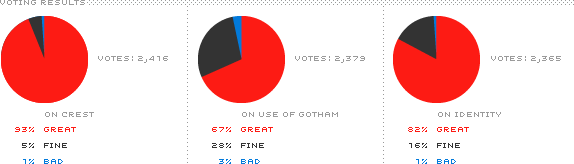
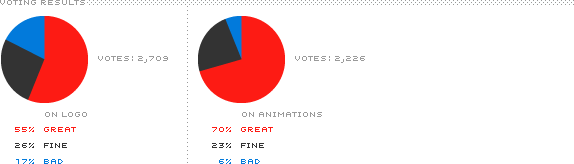
And in terms of flawless execution, this was the best of the year. Although crests are not the most popular visual device in our industry this one got almost perfect marks for being expertly crafted and with a proper inverse version of the original that looks so hot against dark backgrounds. Even the use of Gotham, which typically goes crucified, was well received.

---

Best and Worst Identities of 2010

Comedy Central

Best and Worst Identities of 2010

Designed by: thelab


Release date: December 2010


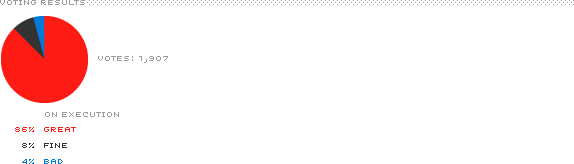
While some people were expecting the equivalent of a Gallagher watermelon smash in the Comedy Central redesign what we got instead was the Louis CK equivalent: considerate funny, if you will. Through a very simple device that mocks and co-opts the copyright symbol, Comedy Central will be deploying a very lively on-air graphics package in 2011. It's no LOL, but that's what John Stewart, Stephen Colbert, and Cartman are for.

---

Best and Worst Identities of 2010

Johnson's Backyard Garden

Best and Worst Identities of 2010

Designed by: Ryan Rhodes


Release date: July 2010


Like the 11th spot in the Best category, this identity is for a relatively small enterprise, allowing for a bit more exploration. (Both of these entries also happen to be by Austin designers for Austin companies — make of that what you will). For JBG, a range of texturally delicious wood blocks serve as the source material to create an infinite range of applications that all share the same DNA.
---

Best and Worst Identities of 2010

Miller High Life

Best and Worst Identities of 2010

Designed by: Landor


Release date: July 2010


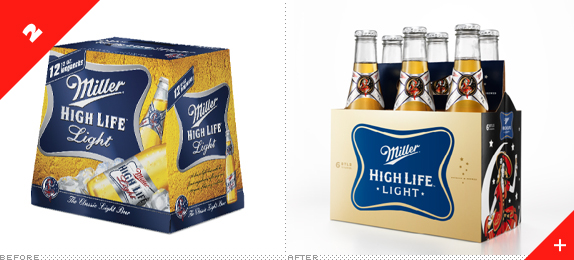
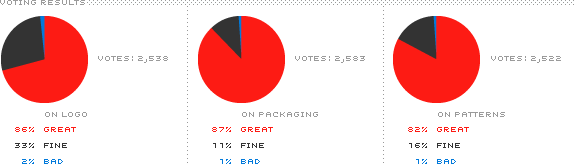
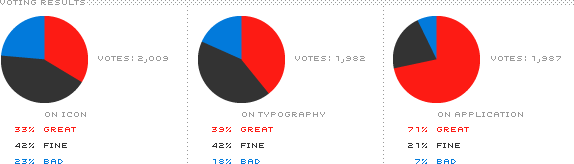
As a general rule, mass consumer products don't fare very well on Brand New, since they are generally gaudy explosions of shadows, bevels, and fake droplets of water to signify freshness. So it was rather surprising to see the comprehensive identity and packaging for Miller High Life be good. Actually: very, really good. The redesign resulted in a sophisticated, bold, crisp, and fun look for all the various beer options and it got high marks all around. The beer ain't that great, but at least it looks great.

---

Best and Worst Identities of 2010

PwC

Best and Worst Identities of 2010

Designed by: Wolff Olins


Release date: September 2010


Even though the logo didn't get high marks and plenty of commenters went WTF about what the icon stood for, the overall identity represents one of the most drastic redesigns all year and in a category — global corporations — that is notoriously conservative and difficult to create something beyond a wordmark set in a sans serif and colored blue. The old logo was pathetic, even if some "liked" it. It had to go. And in its place we got an extremely refreshing and vibrant identity that adapts so nicely to dozens of different communication materials. Not only does Wolff Olins deserve credit for executing this but PwC for adopting and implementing it.

---

Vote
Don't forget to cast your vote about this post online

Many thanks to our ADVx3 Partners